A former occupant can still access my security camera. What should I do?
A former occupant may still appear in a home security camera’s shared users, or the camera may remain tied to their account. An unexpected alert is not proof that they watched footage, so check the account before making an accusation. Use the maker’s official app or website, record what you find, and save any footage you may need before removing people or resetting the camera. A factory reset can delete video history and settings.
ishowcrime desk
Sources checked 25 October 2026
Here’s what you can do.
Check the account and preserve what matters
Open the camera service through its official app or website. Review home members, shared users, signed-in devices, recent alerts and subscription details. An unfamiliar name or event is a reason to investigate, not proof that the former occupant watched a recording. If it is safe, note dates and take screenshots. Download any relevant clips before changing access: Google warns that a Nest factory reset deletes the entire video history and snapshots. If this may involve abuse, use a safer device and plan first.
Secure the owner account and remove old access
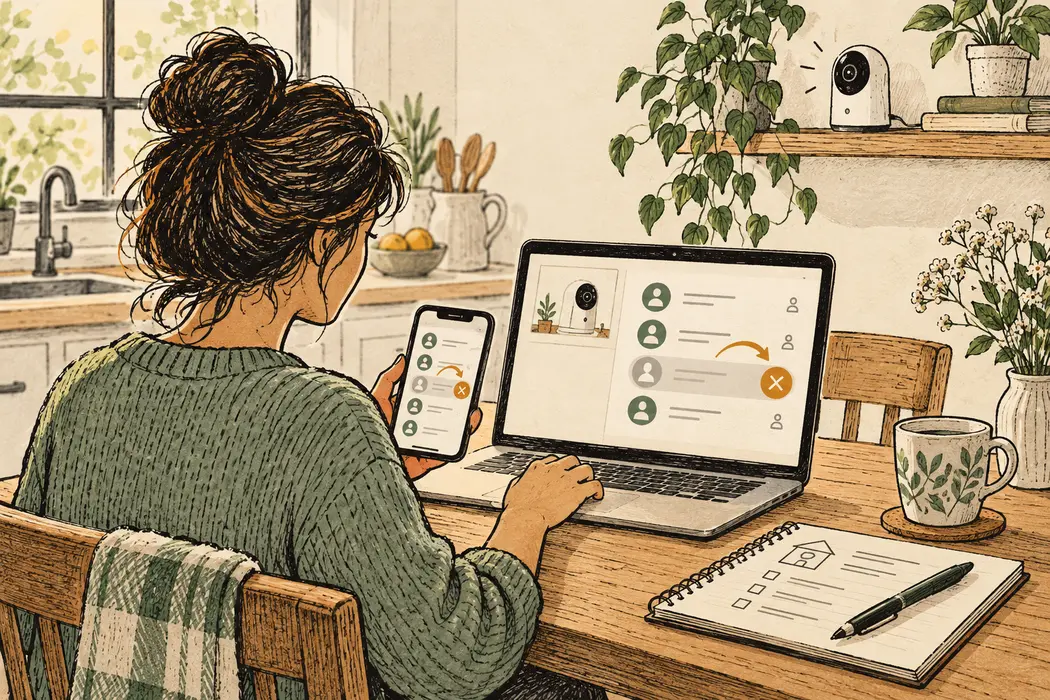
Change the camera account password to a new, unique password and switch on two-step verification if the service offers it. Review recovery details and remove the former occupant or any account you do not recognise. Check other household members first so you do not remove a legitimate user by mistake. Google Home, for example, says an administrator can remove a person, that their device access ends and that they are notified. If you cannot control the account, contact the manufacturer through its official support page rather than paying an unexpected caller. In Google Home, switching off a member's Activity access limits history access, but members still have basic controls including live camera view. Do not treat hiding recordings as removing camera access.
Update, reset and reposition with care
Install the latest camera software or firmware. If the camera is still tied to a previous owner, follow the manufacturer’s exact transfer or factory-reset instructions for that model; save evidence and settings first because a reset may erase them. Set the camera up under the current household’s account, then review sharing again. Finally, check its view and audio settings. The ICO says cameras should capture only your property where possible; data-protection law applies when they record a neighbour’s property, a public area or a communal space.
Your quick checklist.
Tick what you’ve done. This stays on this page.
0 of 3 markedDownload a short text copy to read without internet. It cannot call or alert anyone.
A few things explained.
Does an unexpected camera alert prove that a former occupant watched me?
No. Alerts can have ordinary causes, including another current household member or an automated event. Review account members, devices, access history and saved clips before drawing a conclusion. Ask the manufacturer what its account log can and cannot show. If you do not need internet-based remote viewing, NCSC recommends disabling it using the instructions for your model. Check the consequences first: this may stop motion alerts and links to smart-home assistants. It is a separate setting from removing a shared user, and it does not replace securing the account. If changing access may provoke an abuser, make a safety plan first.
Should I factory-reset the camera straight away?
Not before checking the consequences. A reset can permanently delete recordings, snapshots and settings. Save relevant evidence first if it is safe, then use the instructions for the exact model. If the camera remains attached to another account, contact the manufacturer’s official support service. Google distinguishes a restart, which keeps settings, from a factory reset, which erases them. For a camera linked to another account, its Home-app instructions say to factory-reset and pair it again; Nest-app cameras may need the previous owner's video history to expire, which can take up to 60 days. Follow the route for your app rather than repeatedly restarting and assuming ownership has transferred.
Can my home camera record the pavement or a neighbour’s garden?
The ICO says owners should position cameras to capture only their property where possible. If a camera captures another property, a public area or a communal space, data-protection law applies because images and voices are personal information. Check current ICO guidance; it notes that its home-CCTV advice is under review following legal changes.